The Best (40%) QMK Layout for Programming
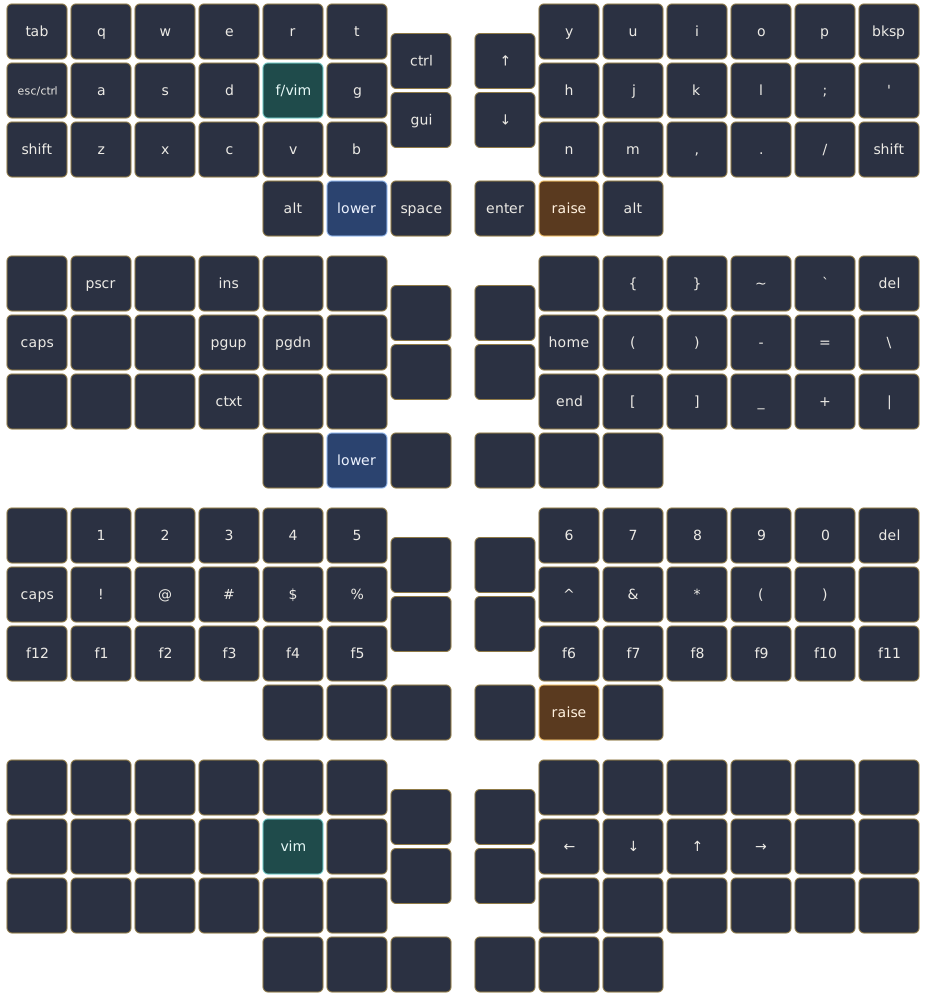
I have been using QMK for my own keyboards since around 2018. Back when I first started using it, I chose a specific keymap that I found in the official QMK firmware repository. While it wasn’t perfect, it at least got one thing right; it placed the different types of brackets under the stronger fingers. A few months later I built my own layout based on this concept, and I have been using variations of this layout ever since. At the time of writing this post, I use it on both my OLKB Planck (Rev. 7), my Ergodox EZ, and my Corne. The following is the layout rendered for the OLKB Planck:
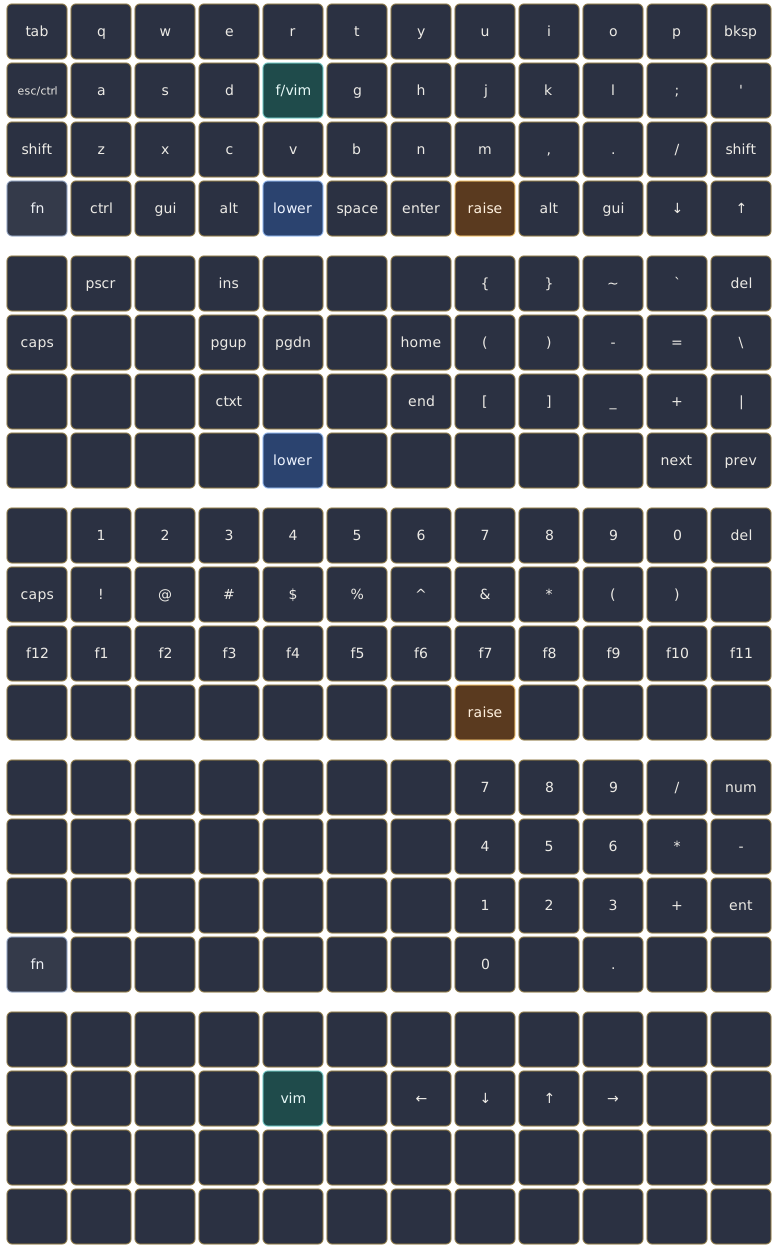
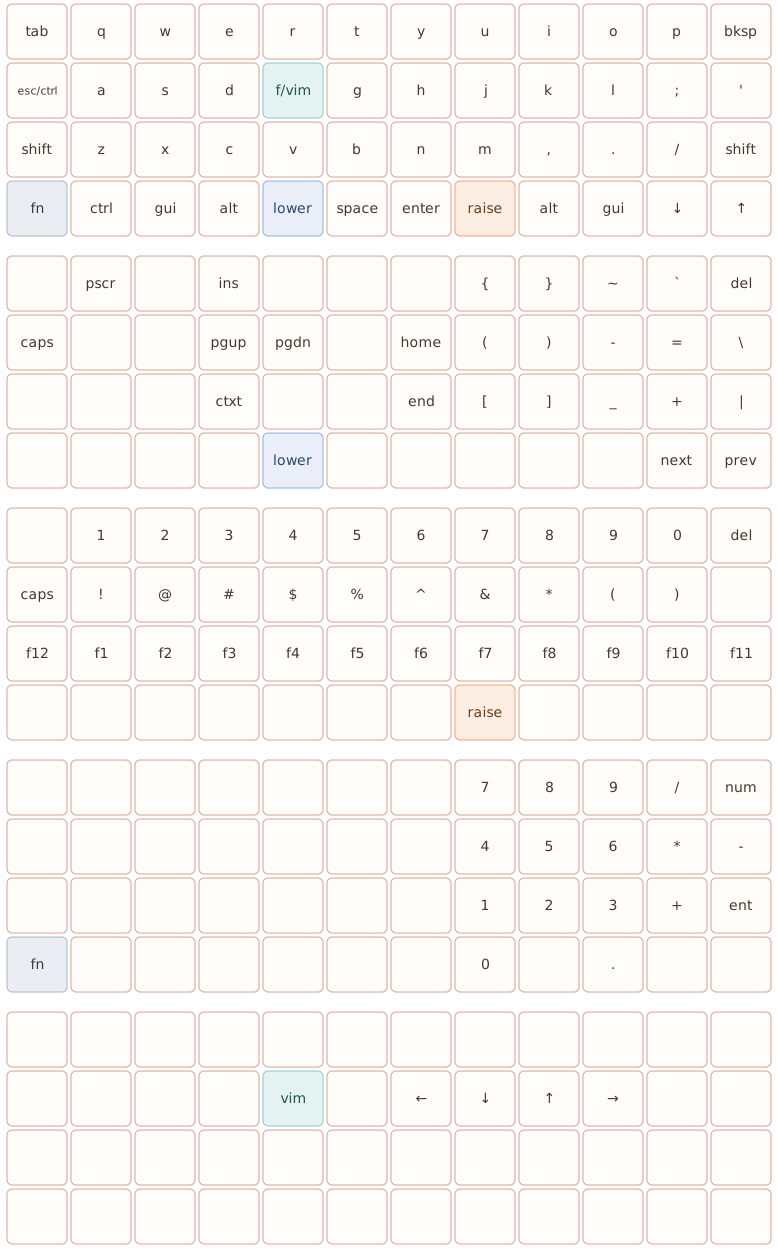
This post aims to (informally) explain why the layout looks the way it does, and what tradeoffs I have made throughout the years of using it.
Background#
For daily use, I prefer the US keyboard layout. Since I’m from Denmark, however, I specifically use the US-International layout in order to have æ, ø, and å readily available. This combination affects some of the shown keymap decisions, as I still want fast access to symbols and composition behavior while also exposing a layout that supports coding without awkward reaches.
I also try to keep one mental model across keyboards. I use adapted versions of this same core layout on my Corne and Ergodox EZ, so switching boards does not mean learning (or relearning) another layout.
Design Goals#
The goals for this layout are simple:
- keep the base layer clean for writing and normal terminal usage,
- make coding symbols easy to hit without leaving home row too much,
- keep navigation fast for Vim-style editing,
- reduce finger travel on a 40% board while keeping the layout coherent.
Layer Strategy#
I use a small set of layers with clear purposes in mind:
basefor normal typing.lowerfor symbols, brackets, and navigation keys that I use during development.raisefor (shifted) numbers and function keys.vimfor directional movement on HJKL.fnfor additional utility and numpad-style access.
The idea is to keep frequent keys close to the home row, and to keep ubiquitous symbols under the stronger fingers.
Coding Use Cases#
As a software developer, I spend a lot of time with brackets, punctuation, and other odd symbols. On this layout, the symbol-heavy layers are organized to make common coding characters quick to reach. This reduces context switching between prose typing and code typing.
vim Layer#
I use Vim daily, so movement speed matters. The dedicated vim layer maps directional movement to HJKL, which gives me fast navigation without leaving the home row.
This layer is activated through a dual-role key, so I can keep the base layer uncluttered while still getting instant navigation when needed.
Dual-Role Keys#
Keys written with / are dual-role:
- tap = first function,
- hold = second function.
Examples:
esc/ctrlf/vim
This gives me more functionality without increasing physical key count, which is especially useful on a Planck.
Consistency Across Boards#
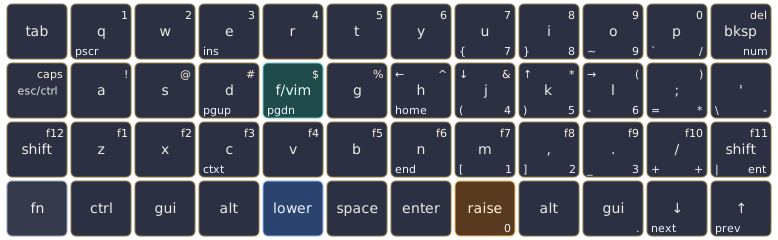
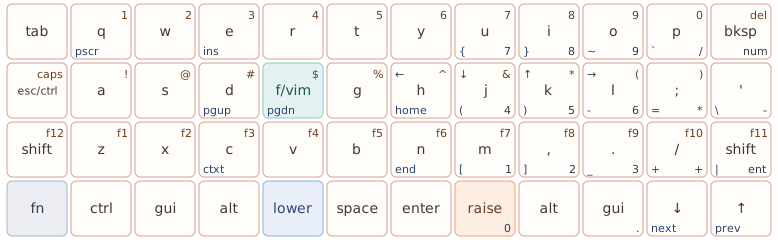
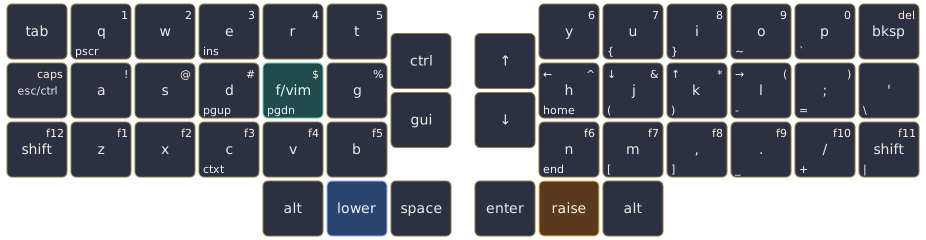
The exact physical layout differs between my Planck, Corne, and Ergodox, but the fundamental layout stays the same; this consistency is probably the biggest productivity gain from all of this. The layout stops being something I manage and becomes something I can forget about while working.
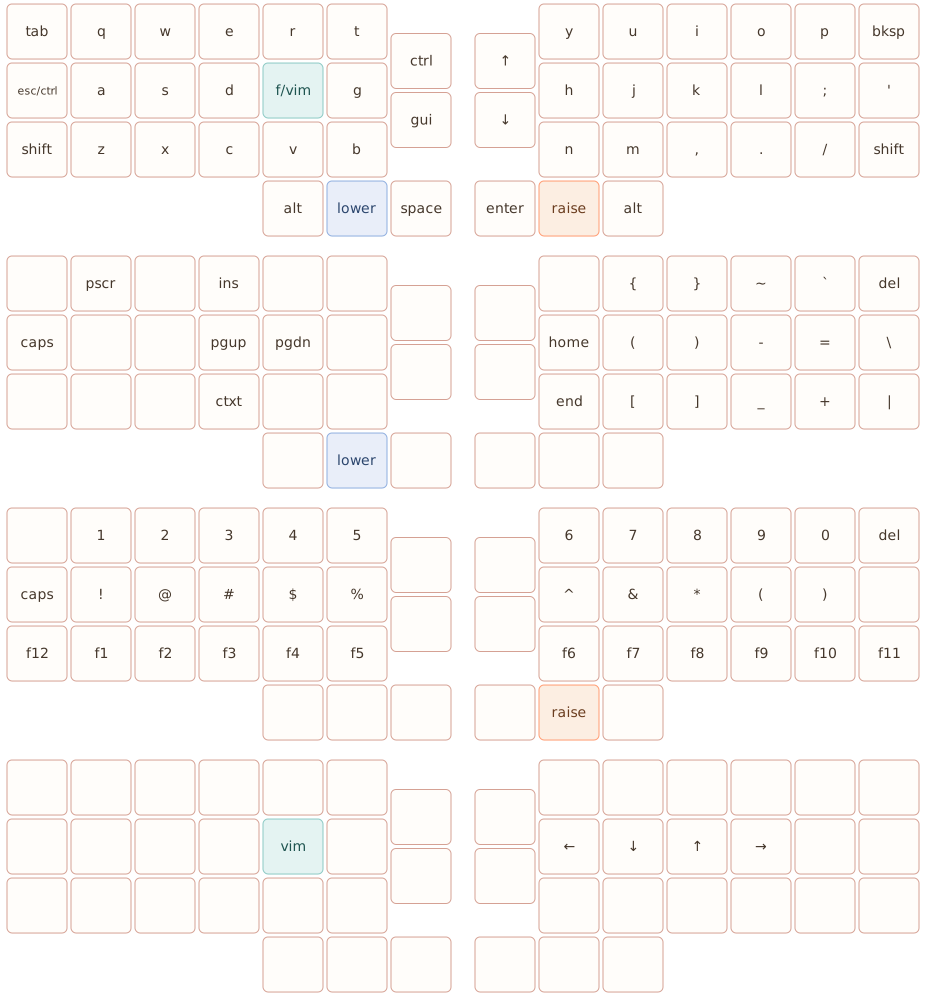
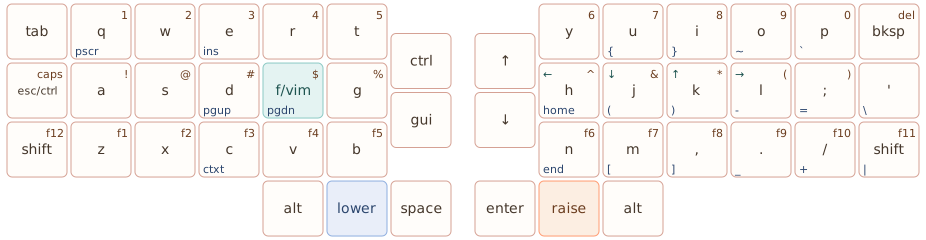
For instance, here is the same layout adapted for my Corne MX:
The diagrams in this post are generated from JSON using my own keymap renderer ported from this script. If you want to generate your own layout graphics, you can use this simple web application that I recently deployed.
Note: The renderer is specific to ortholinear(-ish) layouts.